Multi-package proposals
Configure HVAC equipment, pricing, discounts, notes, and optional add-ons in one guided builder.

Job4Site gives small HVAC teams a focused way to create clear multi-package proposals, then carry the accepted work into scheduling, the field, and invoicing—with supported invoice sync to QuickBooks Online on eligible plans.
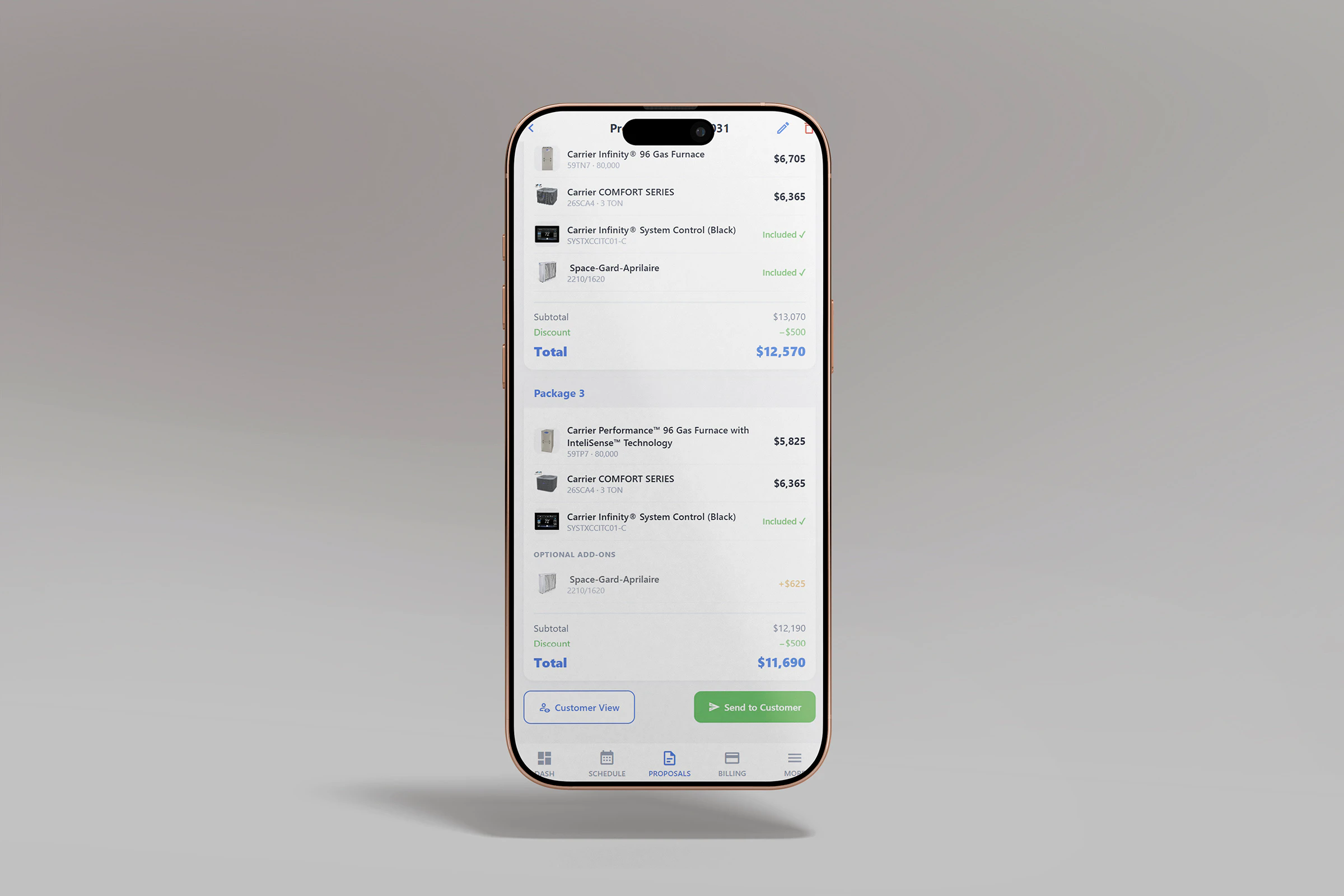
Start with the customer and equipment. Once a package is accepted, keep the selected work with the job instead of rebuilding the details at every step.
Configure HVAC equipment, pricing, discounts, notes, and optional add-ons in one guided builder.
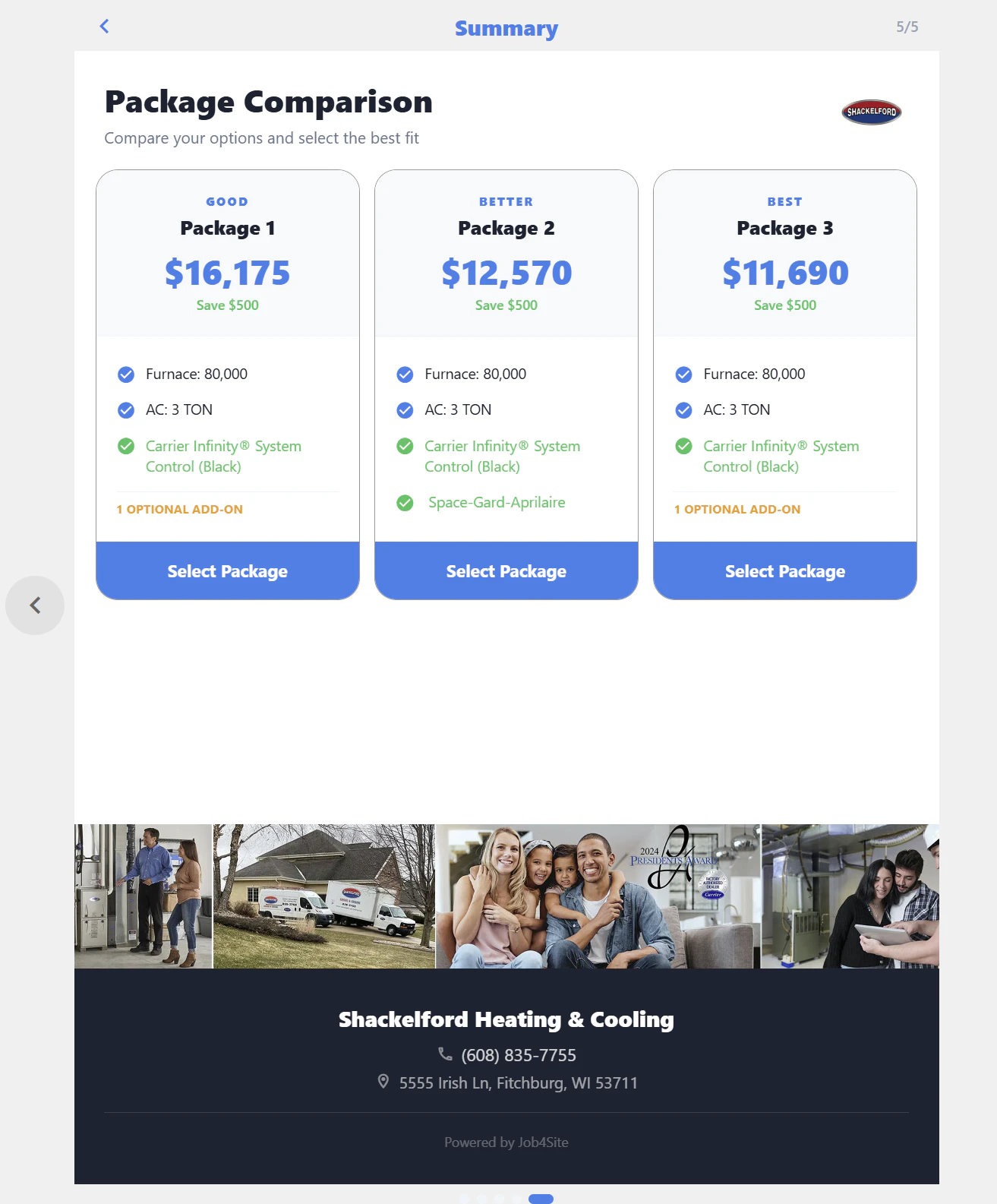
Present polished packages, product details, financing estimates, and totals in a view customers can review and accept online.
Carry the accepted package into a job, choose the date and time, and assign the right technicians.
Give the crew customer, equipment, job, timer, notes, and photo tools from a phone or tablet.
Bring an approved proposal into an invoice, add parts or services, record payments, and track the balance.
On eligible plans, a team member can send supported invoice data to QuickBooks Online.
Choose from your HVAC catalog, build the right system packages, and adjust pricing while you are with the customer. Discounts and selected add-ons update the totals, and your team can preview the same polished proposal the customer will see.
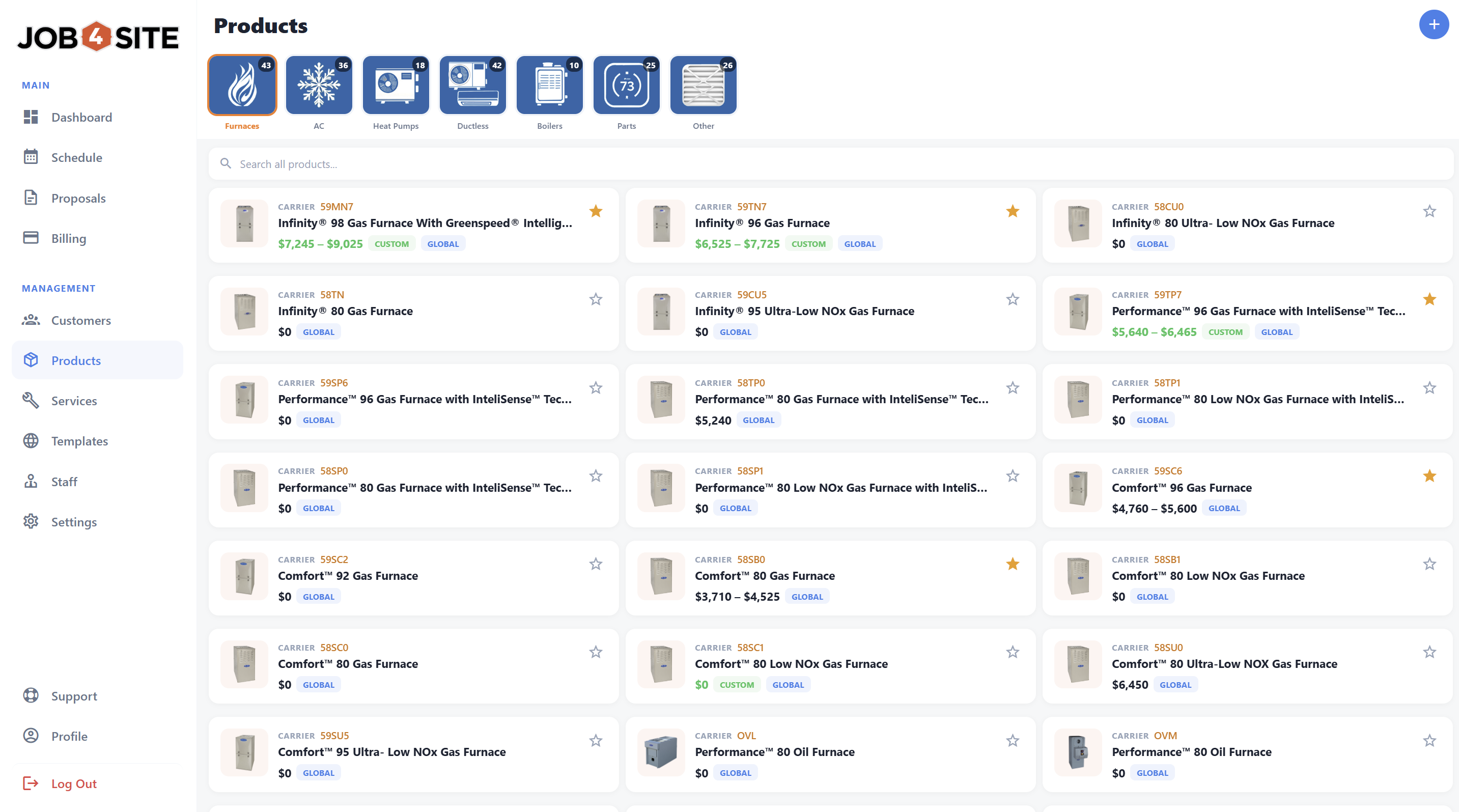
Load preconfigured products for the brands you carry or add your own. Keep models, capacities, images, specifications, and company pricing ready for the next proposal.
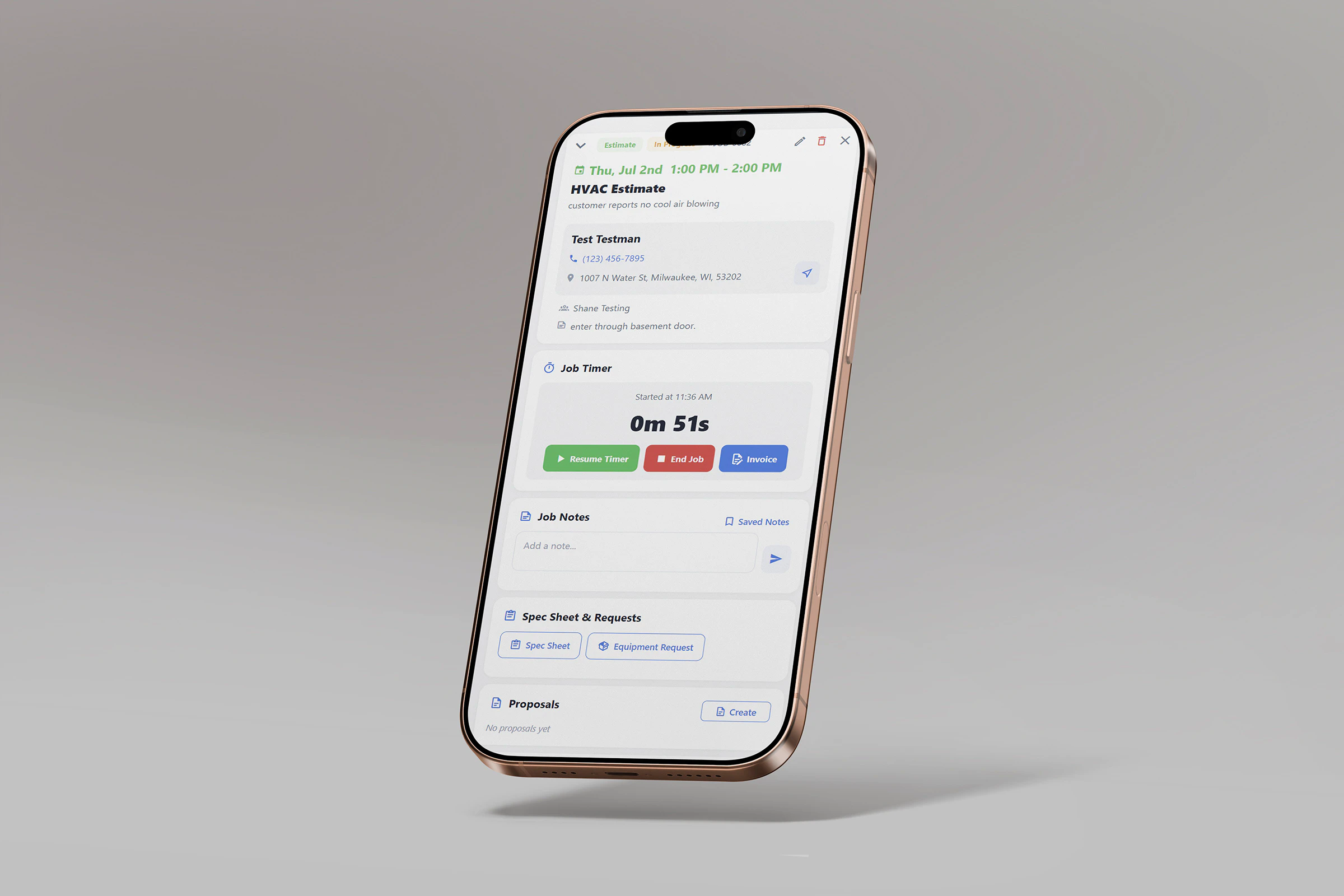
Schedule the work, assign technicians, and attach the package the customer selected. On site, the crew can review job context, run the job timer, add notes, and capture photos from a mobile device.
Temporary offline use depends on records loaded previously. QuickBooks, uploads, and other connected services still require internet access.
Pull in the approved proposal, add any parts or services from the job, and send a clear invoice while the details are still fresh. Record payments and keep the remaining balance visible.
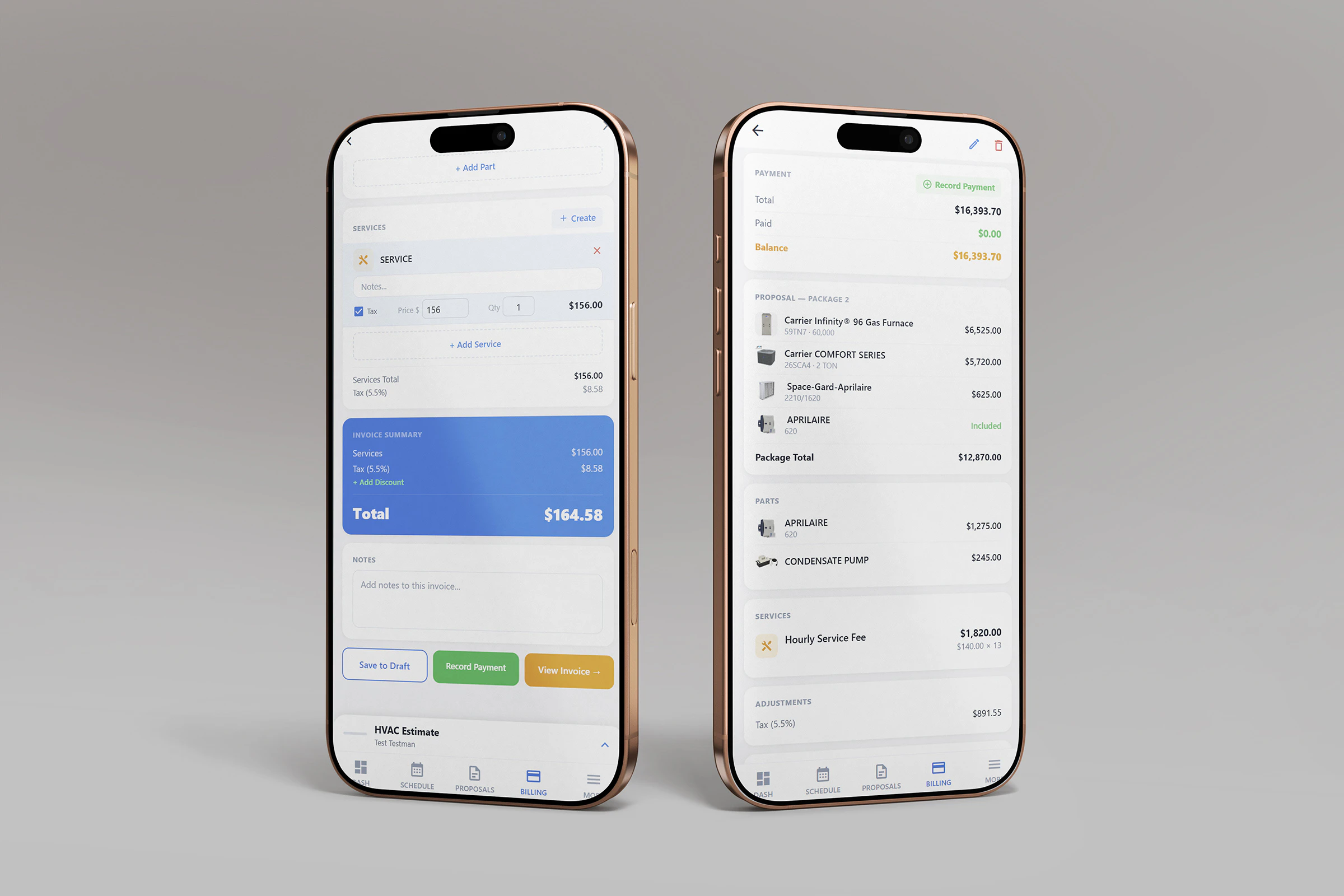
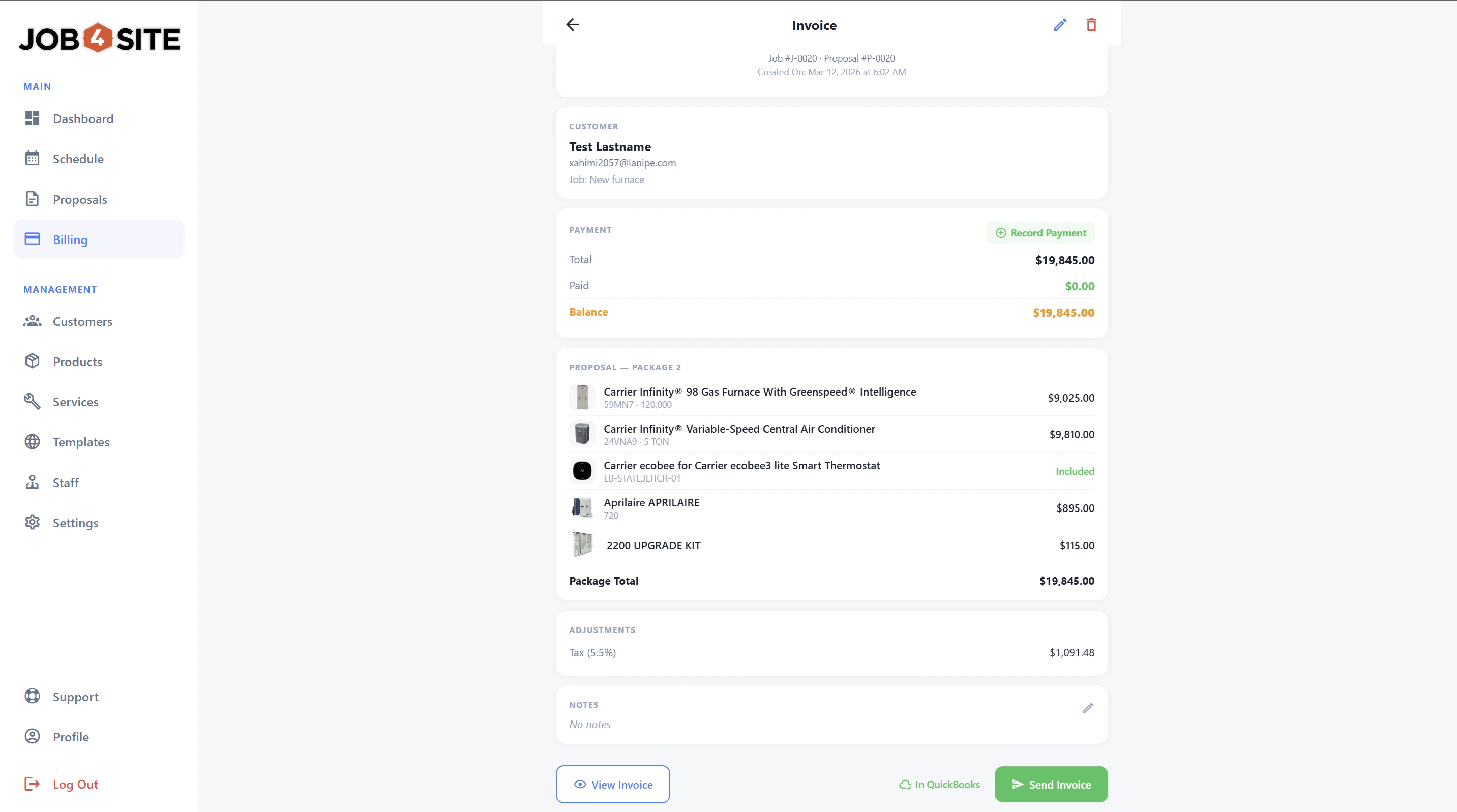
Small Team + QuickBooks and Large Team + QuickBooks let a team member send supported customer, item, and invoice data to QuickBooks Online. An active connection and internet access are required.
Start with your HVAC products and pricing, show the customer clear options, and keep the selected work connected through the rest of the job.